
Setting up your own recording equipment is one of the most empowering steps for any musician, producer, or content creator. You don’t need an expensive studio—just the right tools, correct placement, and a clean workflow. This guide walks you through everything you need to build a functional home recording setup with confidence.


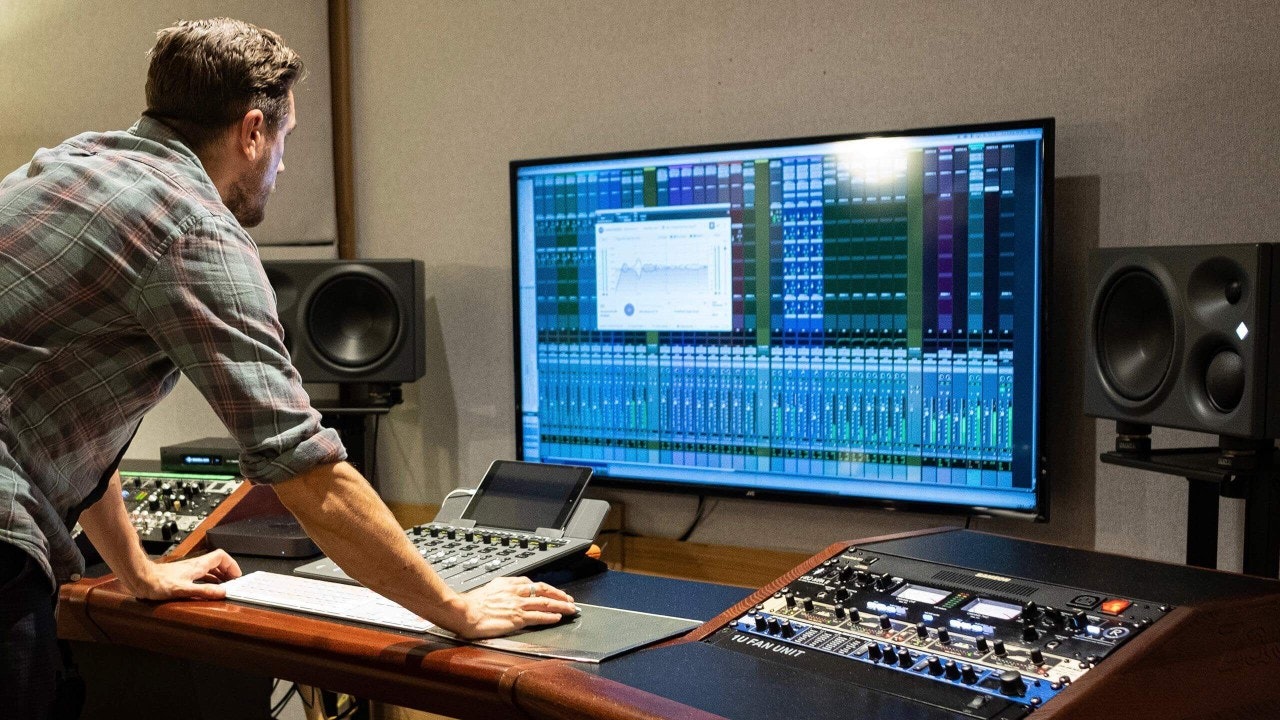
1. Choose the Right Recording Space
Your room matters more than you think.
-
Pick the quietest room in your home
-
Avoid rooms with lots of echo (bathrooms, kitchens)
-
Use curtains, carpets, sofas, or clothes to absorb reflections
A controlled space beats a noisy room with expensive gear.
2. Essential Recording Equipment
You only need a few core items to get started.
Basic setup includes:
-
Microphone – Condenser for clarity, dynamic for untreated rooms
-
Audio interface – Connects your mic to your computer
-
Headphones – Closed-back for recording
-
Computer – Laptop or desktop with enough storage
-
Cables (XLR & USB) – Reliable, not damaged
Start simple. You can always upgrade later.
3. Connect Everything Correctly
Signal flow is key.
-
Microphone → XLR cable → Audio interface
-
Audio interface → USB/Thunderbolt → Computer
-
Headphones → Audio interface
Turn on phantom power (+48V) only if using a condenser microphone.
4. Install Recording Software (DAW)
Your DAW is where recording and editing happen.
-
Choose a DAW that fits your workflow
-
Set the audio interface as input/output
-
Create a mono track for vocals
Learn the basics well before adding plugins or effects.
5. Set Proper Input Levels
Correct levels prevent distortion and noise.
-
Speak or sing at performance volume
-
Adjust the gain on your interface
-
Aim for peaks around -10 to -6 dB
Never record into the red. Headroom is your friend.
6. Position the Microphone Properly
Mic placement directly affects sound quality.
-
Keep the mic 15–20 cm from your mouth
-
Use a pop filter in front of the mic
-
Angle the mic slightly to reduce harsh sounds
Stay consistent in position while recording.
7. Use Headphones While Recording
Always monitor with headphones.
-
Prevents sound from leaking into the mic
-
Helps with timing and pitch
-
Keep volume comfortable, not loud
Clear monitoring improves performance.
8. Test Before Recording
Never skip a test run.
-
Record 20–30 seconds
-
Listen for noise, distortion, or echo
-
Adjust levels or position if needed
Testing saves time and frustration.
9. Keep Your Setup Organized
Professional results come from good habits.
-
Label your cables
-
Name your sessions and tracks clearly
-
Back up your recordings regularly
Organization improves creativity and workflow.
10. Grow Your Setup Over Time
Once your basics are solid, you can expand.
-
Add studio monitors
-
Improve acoustic treatment
-
Upgrade microphones or interfaces
Master the fundamentals before chasing upgrades.
Final Thoughts
Setting up your own recording equipment is about clarity, simplicity, and consistency. With the right setup and good technique, you can produce high-quality recordings from home and focus on what matters most—the performance.
If you want, I can:
-
Recommend budget-friendly gear
-
Create a home studio checklist
-
Help you optimize your setup for vocals, music, or podcasts
Related posts
How To Improve Your Rap Voice
How to Improve Your Rap Voice Improving your rap voice is a mix of technique, conditioning, and artis …

Techniques To Get Perfect Vocals
Techniques To Get Perfect Vocals Perfect vocals don’t come from plugins alone—they come from preparat …


Sigmund Wiegand Sr.
Dolorem qui nesciunt et animi corrupti velit unde maiores. Aut et corporis quis voluptatem tempora nisi. Blanditiis non quia ut repellat. Sit saepe minima ab est fuga.
Qui ut non ut ratione eum facere atque. Voluptas nostrum rerum nihil voluptatem iste. Eaque odio et id sed.